Showing posts with label ROI. Show all posts

Thursday, May 20, 2021

When to update to new stuff?

Tech changes every day.  Our fast paced world is presenting us with new, and better, ways to accomplish most things on an hourly basis.  Some of this is very intriguing such as electric vehicles or 3D printers.  I do get annoyed, however, being told that I have peeled a carrot wrong my whole life and this new hack or tool will be the only answer.  And though I am sure that my carrot peeling skills are just fine, at what point does the machinery in my shop need to upgrade?  When is the new really better than the old?

What can the new tech do?

If the new gadget is cooler looking than the old one you might be inclined to switch.  Aesthetics in an automobile are important.  We all like new, shiny things.  However there are certain requirements that make a new device worth adding to a shop.

  • does it make a process faster?
  • does it reduce costs?
  • does it make a final product better?
  • does use less floor space for the same results?
  • does it require less power for the same production?
  • is it easier to use?
There could be more to the list, but the idea is that a new gadget needs to improve production either with cost or quality or time.  If it does not do any of these things, just wait.  Another version will.

What does the new tech NOT do?

Yes that is important.  If the new item does go faster or reduce costs but it makes an inferior product it is probably not worth the investment.  If it goes faster and makes a great product but the cost makes the RIO low, then it is not worth the financial outlay.  If it does not do all the steps in production that the current version can do, then this is not a gain.  New is not always better.

When should the old tech go, no matter what?

I say that with some wisdom.  As a manufacturing company who has produced machinery since 1979, we help people every day fix stuff.  We offer free phone service and with the use of digital photos, Zoom and FaceTime we are able to fix most old machines.  Many times that repair is priced quite reasonable and the customer keeps using a machine from the 80's.  

However, sometimes old is old.  Broken is broken.  And being thrifty (read cheap) does NOT help your bottom line.  Maybe you can get the parts for a 1984 machine.  However, how long were you down waiting for them?  How long did you have to search for a supplier for them?  Are they the direct replacement or did you have to modify the machine to make them work?  All of those items cost money.  Down time means late production.  Your search time means you did not spend time making sales or managing your production.  Modifications to old stuff takes both your time and down time and they are never quite what you needed.  Is that cost beneficial?

We do understand small business and the need to keep costs down.  We understand budgets.  We also know that if you have big equipment with big repair bills you have a hard time paying, then your really needed smaller equipment to suit your space and revenue.  Crunch those numbers sometime.  You might be surprised to find out that that big stuff you bought at a great price is costing you more than you make and newer smaller stuff would make you more profitable.  Hard to fathom sometimes but it is true.

How can we help you figure it out?

Most people do not like to discuss financial situations with sales people.  But the truth is, good sales people want to see their customers succeed and make money.  Think about your own style.  You want to have return business and you treat a customer with the goal of seeing them again.  Capital goods sales people are the same.  We would like you to buy well so you do well.  Then call us again for the next cool tech item that you are interested in.  So consider sales people as allies who gain when you gain.  Ask them if it is worth it to keep with what you have or go new.  Yes they will pitch new as hard as they can.  They have kids to feed, just like you.  But good ones will help crank the numbers to see if the justification is there for your shop.

You might be surprised by what you learn.

Monday, February 24, 2020

Set-n-Go. Go where? No, go faster.


Every manufacturer of printing equipment touts a pre-registration system.  This is not one of those "do you want fries with this" kind of items.  It is a serious tool and we think that it is a necessary piece of equipment whether you are printing manually or on an automatic.  Old school printers and many do-it-yourselfers will say that this is unnecessary because they are so fast in set up, but experts disagree.  These systems have gotten so elaborate that you can purchase printers to put the art exactly on a screen so that press registration upon set up is perfect.  These high end systems would not be developed if they did not have major benefits that offset the costs.  They will cut your screen set up time on a multi-color job down to 5 minutes.

Time is money

Speed and accuracy, my friend.  Speed and accuracy.  Hypothetically, if artwork were always placed in the exact same spot.  If screens were loaded into the press in the exact same spot.  If artists registered the art to the final garment each time.  Then job set up would be so perfect that press adjustments would not happen.  Imagine the speed.
  • Little to no micro or macro adjustment of the press
  • no platen adjustment
  • no checking of the artwork location on the garment and adjusting to fit
  • straight prints all the time without hassle
Yes, some of you will say that you never do any of these things.  Seriously, we know you do.  That is why we put all of these adjustments on a press.  However, we know that all of these adjustments will cause set up for every multi-color job to be a minimum of 15 minutes.  

How does it help?

By starting back at the art department, a set of predefined art locations will cause the artwork to land on the correct location on each garment without adjusting the platen or the garment upon load.  


If the Horizon line of your artwork represents the collar of the garment, the the artist has a good starting point of knowing where to place the art.  General rule is that there is a 3" gap between the collar and the top of the art.  Also, if the Horizon line is also the top edge of the platen on the press, then you can say that all garments load so that the collar just falls off the platen.  If the artist and the printer match, then the operator only needs to load the screens a to the preset stops and the platen will not need adjustment.  This is the same for all art locations.  Preset the location of the pocket or the back print and allow the collar to always just fall off the shirt board.  This simple rule of preregistration systems saves time on every job.  No more guessing of platen location.  No testing of shirt load location.  No wondering this run will match the previous run of the same job.

How do you get the screens exposed correctly.  

Let's think through the next steps of the process.  The artwork comes from the art room with horizon lines and registration marks on each film.  The platens are fixed in location.  Now if every screen is burned using a fixture that matches a fixture on press, then set up is a breeze.  And by fixture, we do not mean a t-square.  We are looking to speed things up, not slow them down.

The screens go on a jig, the art matches the jig.  Process the screens and then load them against the jig that is on the press.  Sounds clean and simple, right?  Ok, let's slow this down and list this out.  The artwork is set against a standard registration template so that template should be affixed to the screen box.  In some systems, there are pins that the artwork sits on.  In some, the fixtures are on the exposure glass.  In ours, the template is adhered to the yellow box.  The screen seats agains the guide pins and then the art is taped on while matching the template.

Once the screen has been processed, the screen is set into the press against a guide pin bracket.  This bracket flips down so that it stays on the press but is out of the way of the operator.  Check out this video for a quick "how it's done".


Yes there will be some short term time spent on learning new steps.  However, if the press set up time drops to under 5 minutes, then the value of the system is justified.  The faster we move a job through the shop the higher the profits.

Monday, March 11, 2019

Being prepared is a profitable idea

Dreaded downtime

Downtime due to machinery break down is a killer for the bottom line.  Not only do products not ship, employees are not productive.  This translates into an increased cost of goods and a decrease in revenue.  This is a big problem for both large and small producers.  Small producers, even if they are paying themselves and do not track labor costs have a decrease in revenue and a potential loss of a customer.  Larger companies track worker productivity as it relates to job costs and overhead.  As the ratio changes due to machinery downtime, profits suffer.

The solution for much of this is simple.  First, all production facilities need someone that has an understanding of the maintenance required for all of the machinery on the production floor.  This includes the simple items such as cleaning, lubrication and calibration.  Additionally this person should be handy with tools.  In most cases, these are difficult tools.  Simple wrenches, screwdrivers, wire cutters and a crimping tool, and possibly a multi-meter will do the trick.  

 Additionally, there are always a few items on all machinery that are essential for them to operate and cannot be bypassed.  If your production is reliant on any machine, then having these items in stock is a wise investment.  How much does this cost?  You would be surprised at how little, especially compared to the cost of downtime.

Midline Printer

LED Exposure System
As a suggestion, a manual printer will operate without any inventory readily available.  If they use a gas strut to support a print head, keep in mind that these have a limited life and having them available after about 2 years is a good idea.  These items are about $50 so this is minor.  An exposure unit will need a bulb at the 2 year mark.  So be prepared.  This can cost between $70 and $300 depending on the bulb.  New LED style units will not have this issue.  But a vacuum motor and timer are another part of that unit is essential.  If your exposure unit goes down, are you prepared to not process screens for 3 days?  The entire package of parts should cost less than $350.  

AirPony Dryer
Conveyor ovens are another issue.  If your shop only has one oven, your production hinges on the function of this machine.  Most systems in a conveyor oven can be bypassed to get a production floor moving.  However, the drive system cannot.  So, a drive motor and a motor control would be excellent items to have on hand for any over over 2 years old.  Again, the cost is minimal compared to the impact of zero production.  If you print garments that have a rigid temperature requirement, then stocking temperature controls is also a wise investment.
As for automatic printers, this is all dependent upon which type you are running.  For the ElectraPrint, we recommend a few minor items.  Photo eyes are handy, but typically the press can run with exchanging parts between heads.  With air machines, extra air cylinders are a wise choice.  Though, again, you can borrow from one head to another, having a set of cylinders is smart decision.

All machinery will have wear parts.  Just like a car, oil changes will keep a car going for many miles, but at some point, things need replacing.  Plan ahead, stock a few things and be prepared.

Tuesday, January 22, 2019

Some maintenance required

As with reading the instruction manual, scheduled maintenance is often overlooked.  We get notifications from our car dealers that things are due.  And, to be honest, who hasn't pushed that oil change a little farther out than recommended.   However, all machinery needs to be properly maintained for optimal and profitable production.  Also, keeping with the car analogy, the ones with crank windows and no AC have fewer systems that need maintaining, right.  So the higher level the machine, the more diligence is required.

Screen print machine maintenance

As an example of basic machinery, like the crank window on a car, manual screen printing presses only need to be clean.   Clean machines mean clean shirts for he end customer.  The use of spray adhesive is the biggest factor in a screen print shop.  The spray sticks to the machines, and the lint from the garments stick to the spray.  Dirt, dust and ink stick to the mess as well.  Some shops think this is "charming", like a cotton candy coating.  But, no, it's not.  The best solution, long term is to switch to platen glue that is spread on.  It lasts longer on press and it doesn't travel and stick anywhere it is not supposed to.

The spray adhesive also affects conveyor ovens.  The spray can mist into the drive system and the control panels.  Dirt on the drive train and the belt can easily be transferred to the final garments.  Spray adhesive and lint will stick to the fans of the control panel and reduce or eliminate air flow to the electrical components causing them to overheat and fail.  As the complexity of electronic components increases, the chance of overheat is higher.  This can cause drive train system failure, heat control system failure and complete machine shut down.  So, again, get rid of the spray and clean the machine.  Easy solutions to potentially big problems.

Automatic printers are higher level machines and require more maintenance.  The Brown ElectraPrint has a suggested maintenance that is listed in it's manual.  These items begin, like all others, with cleaning filters and chains.  The biggest part of this machine is the grease.  There are grease locations in each head and in the base. For air driven machines, the maintenance increases due to the air compressor equipment and the cylinders.  Check your manual for the full list and you will probably see "cleaning" at the top.

DTG auxiliary machine maintenance

BrownDigital, with the development of the Synergy and FireFly systems, is heavily involved in the DTG production market.  While this segment of the industry has different challenges, the solutions are often the same.  Additionally, these machines are higher level and required more scheduled maintenance items with more diligence.  

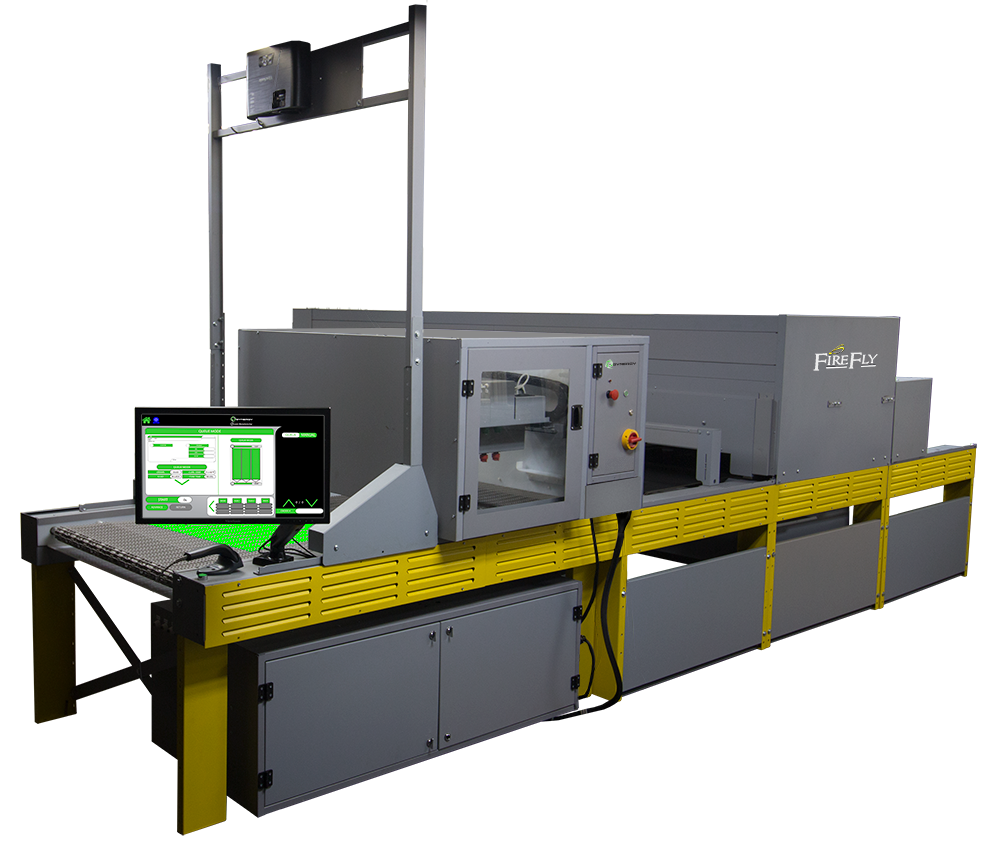
The FireFly is similar to conventional curing systems.  Drive train systems, fans and motors need to be kept clean.  Filter systems and belts for the exhaust scrubbers do have a maintenance schedule, just like the filters on your car.  And if these are not followed, those will fail.  These ovens cure with quartz style heating, so stocking spare bulbs in-house is a good plan to reduce down time.  These also use thermal imaging cameras and touch screen displays.  Higher level parts need additional monitoring for continued reliable production.

For pretreat systems, the complication increases.  There are a lot of moving parts, motors and filters.  Pretreat fluid is sticky and everything it touches needs to be flushed with water or replaced on a regular basis.  There are nozzles, pumps, valves and hosing that water flush cycles need to be run.  There are filter systems for the fluid and for air flow that need regular changing or cleaning.  There is a belting system that needs cleaning due to overspray.  None of this maintenance is difficult, but it is necessary and, in the case of the Synergy, can be preprogrammed to automatically run.  Also, task reminders can be set for any other maintenance item needed.

Final notes

Maintenance is often a low level priority for small businesses.  Run everything until there is an issue and then scramble until things are repaired.  For some items, that is okay.  However, like a restaurant that needs to wash everything every day, a production facility needs to be cleaned.  

Today a long standing customer stopped in for a part for a machine from the late 1980s.  Yes, the 1980s.  It was spotless.  And, since we build a similar unit today, he still runs this one.  We did laugh that he was not a profit center for us, since he never needs to buy anything but he pointed out that this is what makes his business profitable.  Isn't that what you are in this for?

Monday, November 5, 2018

Our industry is unique, and challenging

I met a friend for cocktails this weekend and we discussed our careers and the industries that we are in.  This person had a recent job change and was describing the differences in the two markets.  While chatting, the question came up, "Why is printing on a t-shirt so hard?"  It occurred to me then that what we do is truly unique.  In most industries the production variables are limited and consistent.  The "how to" is measured and analyzed with tolerances defined and universal industry standards measured.  Well, anyone who has printed garments knows that most of this does not apply to us.

Sure we have defined cure temperatures for ink.  Sure we have PMS color matching.  And, of course, we have production rate requirements.  But even all of this is loosely followed.  Ink cure temperatures rates vary by brand and type.  PMS colors are borrowed from other print industries and are loosely applied to color cards from ink companies, though many shops do have custom ink mixing in house.   As for production rates, we are all trying to produce a profit.  And that need drives everything.

So my companion currently sells high end cars and used to sell real estate.  Market and economy fluctuations are what drives these industries.  In the metal fabrication business, metal is systematically measured and variables in quality are based on the human factor.  The inkjet, laser and DTG printers that surround my desk are all assembly line production items as is the laptop I am writing with.  So I explained all of the options within production and sales of printed garments and I mystified myself with questions of how we do it all.

Let's go over the list.

  • Every garment type is different:
    • color
    • fabric
    • weight
    • pile
    • construction
  • Every individual garment may be different:
    • size
  • Every ink type has a different cure temperature and that is influenced by:
    • thickness of the ink film
    • thickness of the garment
    • number of layers of ink film
    • time in the chamber
    • temperature of the chamber
    • air flow of the heat chamber
  • Each artwork file has it's own printing parameters
    • size
    • number of colors
    • type of separation
    • what color it is to print onto
  • Type of printing influences or is influenced by all of the above
    • Manual screen
    • Automatic screen
    • DTG
    • Sublimation
  • DTG variables include
    • pretreat type
    • pretreat density
    • pretreat cure
I have only scratched the surface of what can happen in a day.  So what do you do?

You can go old school.  And it works.  

Log books, spread sheets, paper pick tickets with instructions, even sharpie marker notes on the machinery can help limit issues.  As an example, a pick ticket should include order information, cure settings, pretreat requirement, ink colors and color order.  This is a solid system that works most of the time and is historically reliable.  

Now let's move that to today's technology.  


Digital resources make it possible to put every piece of information in one storage location and link all that together by all the variables.  This can all be put on a mobile device at each production unit that can reference the information by scanning a barcode.  This technology is used in most production industries today and, because of all of our variables, should have been in garment decorating years ago.


A previous blog was written on our Linx software.  This system manages the information on all of the variable that are listed above.  Once information about a type of garment are input into the data base then that information is linked to any order that needs that garment.  It stores artwork files and connects them to orders.  It controls curing and pretreat parameters in the Synergy and FireFly.  It can track orders through production and connect them to ShipStation.  This tool helps to contain the chaos that is elemental to garment decoration.

So, though the cocktail and conversation was a wonderful way to catch up, my companion decided that what I do is crazy talk and selling Porsche and Bentley are a better fit.


Monday, May 14, 2018

The rise of the DTG force

Screen printers across the country are sensing a tremor in the force (sorry for  the bad analogy to non-Star Wars fans). It is hard to put a finger on this new DTG revolution as DTG printing has existed a while, however in the last year or so the force have been getting stronger and stronger from our customer base .

Existing DTG Market

DTG as been around for many years, however with minimal industry changing effects. From our perspective, this is due to two reasons.
  1. Small businesses bought one DTG with the intent of doing 6 shirts for walk ins, and does not affect the screen print shop's core business.  
  2. Large Businesses bought DTGs to do one-offs for the online business, but this has not affected the screen print core business.

Emerging Market

For the first time, large corporations who do not screen print are investing in large scale DTG production as well as outsourcing to traditional screen print contract shops.  In addition, they are starting to look, online and offline, for screen printing core business orders that range from 30-500 pieces. Some shops have DTG machines capable of over 500 pieces an hour.  We foresee this eventually affecting the industry in three ways.
  1. Creates a market where water-base prints or a flat feel on a shirt becomes the industry standard for non-athletic wear.
  2. Creates a standard that a 6-color to full color prints are priced similar to 2 color prints.
  3. Creates an artistic style that is full color and those jobs are prices similar to 2 color prints.
  4. Creates a market where consumers are able to order their shirts online at any time of day with immediate or minimal lead time shipping.

So now what? If this is the future, what do you do?

If you are foretelling the future, like a Jedi knight, where do you see the best investment for your business? Will your current customer base shift and do you need to adjust? Will you expand your customer base so that you need options? Maybe a crystal ball would help. 


One man's crystal ball leans toward screen printing with a side of digital.

With screen printing as the primary production source, a single direct to garment machine gives some flexibility. This is one option for community printers.

  1. True screen printing is not going away in the foreseeable future. There are polyesters and other materials that can not be printed digitally, as of now.  Those items need traditional printing inks for adhesion.
  2. DTG ink costs substantially more per garment and on long run jobs it impacts the profitability of the run.
  3. Your website will take online orders that are single piece or low quantity. Advertising to your customer base that DTG is available is imperative.   As a note, this does not mean competing with Amazon, but having the ability for your customers to order online and at low volume increases the use of the DTG option.  

Another Man's Crystal Ball leans toward digital printing.

So, instead of screen printing, what are the positives for printing with DTG only? As a rule, the process looks cleaner. There are fewer consumables involved and there is less training required. For people who are more comfortable with touch screens and button clicking, this fits their style. Additional benefits include:

  1. Eliminates the screen processing and ink clean up steps of the process.
  2. Eliminates skilled labor for art and screen registration.
  3. Makes it easier to recruit/train new help.
  4. Some believe that final quality is more consistent.
  5. Allows unlimited colors with a flatter feel.
  6. Opens new markets in one-off designs and online stores.
  7. The dryer that is a large cost in the DTG system can also apply to future screen printing expansion.
  8. Keeps a project in-house for businesses that do not wish to be in the screen print decorating business.

The Lucky 8-ball is another view. Skip DTG completely.

So you are hands-on people. You cost out each job to determine the profit margin. You prints runs that are typically 100 or more. So you really don't want another style of printing in the building. There are some really good reasons for that:


  1. Larger runs of less colors are more cost effective with screen printing.
  2. Certain fabrics and certain customer bases require plastisol based inks. DTG cannot print these jobs.
  3. DTG machine require maintenance just as much as any other industrial equipment. 
  4. DTG ink costs substantially more per garment.
  5. Replacements parts for the printers may be pricier.
  6. DTG required the same footprint for production.  
  7. The core of your business is screen printing, and your expected expansion in low run markets is minimal.

So what do the Jedi Masters suggest?

We see the logic and financial breakeven of a DTG venture.  There is an expanding market that needs addressing and this is the best tool to capitalize on what is coming.  However, eliminating screen printing at this moment, appears to be moving too fast with the potential loss of a market that is already established.

Like everything else in business, there are success stories from all combinations of these processes. The DTG movement is something to be seriously considered. Just make sure that profits are the reason for the choice of direction and that your marketing plan agrees.


Tuesday, April 10, 2018

Everyday conversations with our customers

We are a bit old school.   When you call Brown Manufacturing Group you get people.   No voice mail.  No phone extensions.  No "press 1" commands.  It isn't because we are living in 1970, but because we prefer human interaction.  Customer connection is a priority for us.  We are a family business and we want to know our customers, not just take an order and move on.

This direct contact comes with both positives and negatives. One negative is that, sometimes, we are a bit overloaded.  Our apology if you have been on hold or caught us juggling a few conversations at the same time.

It is those conversations that are the positive.  

AP-67J ElectraPrint Junior

As an example, today, a customer called to order a sleeve platen for his manual Masterprinter.  I had the opportunity to chat with him about the job he was printing and learned that he needed to print 200 shirts in 3 locations by Friday.  Well, as a sales person, this was an opportunity for me.  But is was also a learning conversation for him.  He had not looked at our ElectraPrint machines and did not know their capabilities or how reasonably priced they could be.  Though he ordered his sleeve attachment and will be printing 600 prints by hand, he is now armed with information on how to improve his business and that he can afford the upgrade.  No online order system can do that for a customer.

Additionally, if he had taken the time to peruse our web site, this kind of machinery can be confusing to configure to your shop.  A little bit of casual conversation and we determined the right number of heads and features that fit his shop and his production needs.  And it was in his price range.

As a sales professional, I can always wish for a sale.  But most sales people know that business is build upon relationships and need fulfillment.  Did I expect a sale?  Only for the original sleeve platen.  Do I look forward to future conversations with this customer about expanding his business?  Absolutely.

We prefer you call us and ask questions.  Send us an email, if you prefer.  Our family likes to meet yours.  We believe it is better service.  And, for the record, that sleeve platen will ship today.

Tuesday, October 24, 2017

Synergy™ pretreat module offers speed and growth


Ok, so this is what the word means but ....?
SY36x84 Synergy with FY2x36-45 FireFly

Combine the FireFly™ patented technology in curing inline with BrownDigital's new high volume pretreat module, Synergy™, and the production rates go up while the labor requirements go down.

The Synergy™  Industrial Pretreat Module is designed for high volume digital decorators and connects directly to the FireFly™ curing system, allowing for rapid evaporation of pretreat solution and a quick turn around to the digital output device.  The flow of the operation continues with reverse transport of the garment back to the original operator.  Complete multi-variate control of each garment.

Pod systems for production allow for flexibility.


Using the production flow shown, two operators can process the full operation.  One person is the pretreat loader and the final product packager.  A second person runs 4 Brother GTX machines.  High volume, low operating cost.

90-150 units per hour


Pod designs can scale for additional production.   

240-300 units per hour

450-600 units per hour 


Speed and flexibility with minimal personnel make the Synergy and FireFly combination a must have for those shops who need to step up their direct to garment volume.


Tuesday, April 11, 2017

Master Printer series: Greenery is important

From our Master Printer


As our Master Printer visits customers to install new machines and to help improve the production at our existing customer's locations, he notices things that may help all who are interested in keeping up with the best production techniques and the latest technology.  This is the latest in the series of observations.

Spring is a time of upkeep

Spring is here and we've set our clocks accordingly and replaced the batteries in our smoke alarms..  If you have read previous spring cleaning posts, you have already done the suggested maintenance for all of your equipment.  If you are interested in a technician doing some maintenance on your machinery, just give us a call or send us an email.

However, there is another level of spring upkeep, Pantone® books.  Pantone is a universal way of conveying color to different vendors across a vast array of products.  These colors are referenced in all manner of marketing and printing and Pantone is a color palette in artwork applications.  Just for fun, the Pantone color of the year for 2017 is Greenery, number 15-0343 and hex code is 88B04B.  If you aren't familiar with what these numbers reference, you might check out our latest e-blast because it is the background color.

So how does any of this apply to a textile printer?

Most community based customers have an image in their head or a previous print job in their hand that they are trying to match.  Do NOT let them use a Pantone book to match these colors.  This is where your handy color book from the ink supplier is best applied.  These are standard colors that will suit most situations and will make your life easier.  Keep one of these handy for all your sales conversations.  Typically, these are actual prints of standard colors that are glued into place.  They will give the best representation for the customer.  And for your own production simplicity, try to lead a customer to the colors you already own and stock 2 reds, 2 blues and 2 yellows. This reduces your inventory costs and future headaches on repeat orders.

The best representation is a key word here.  Computer monitors are not all the same.  What appears scarlet red on your screen will appear differently when you send a PDF mock up for your customer to approve.  Also, the output device that you print from will give different results than one at the customer shop and will be different than the final print.  This is where the true color card is important.  

If a customer refers to a Pantone color and has had other items printed with that color, then it is advised to use exactly that color.  This is where your own book comes in handy.  These books fade with time so a new one should be ordered every few years.  Also, these colors are shown in matte, coated, and uncoated.  This refers to the offset printing process.  However, most textile printers refer to the coated color to match due to the final finish of textile inks.  Be specific when with your customer because the uncoated colors are darker with less "pop" than the coated.

The formula guide for the color is printed on the book.  Those rations will give you great results if you have the mixing colors in house.  If you need small quantities, your local supplier can mix the color for you.  If you have customers who refer to custom colors often, then a mixing system in-house would be a good investment.

Why would I want to mix my own colors?

In addition to customers who refer to Pantone colors there are other reasons to mix color in-house.

ShortStop Athletic Numbering System
We are sure that you have already run into the problem that your little league heat seal numbers do not match the direct print ink that you are printing for the logo.
On a sales note, that is one reason that Brown sells athletic numbering systems.  But, moving along.
How do you fix this in your current shop?  Many customers will custom mix these colors and keep them separate from the stock colors.  Use your Pantone book to match to the vinyl and mix your direct color based on that formula.  Again, we would really suggest direct printing the numbers as well, but you might still have to match to individual player names.

How does this pay out?

Pantone books have a bit of a sticker shock until you realize how often they are used.  Also, color mixing seems daunting until you have done it a few times.  However, quality prints, done quickly for happy customers make for profitable businesses.  


Monday, January 9, 2017

Manual printing options


There are so many options available to screen print a shirt.  The different machinery levels can be confusing and the options available are essential to some but unnecessary to others.  Let's break down the machinery levels and what all of those features can do for the press operator.

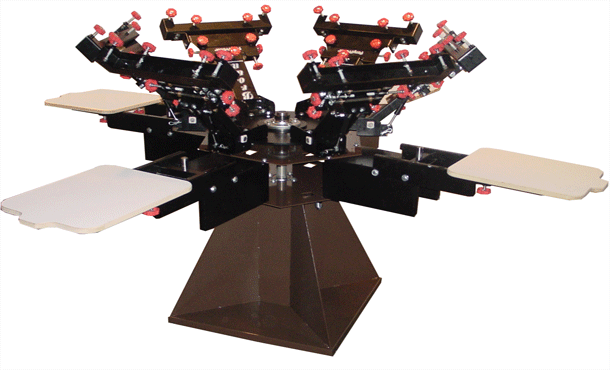
CP-42R ClassicPrinter
There are some basics to begin.  Beginner presses are typically designed to be mounted on a bench or table.  They also only allow for a maximum of 4 colors to be printed.  And they do not have features for micro-registration or rotary load platens.  However, they print shirts and have a low initial investment which means that the ROI is quicker and higher.

Whoa... some technical terms were tossed about there.  Slow down, what do those mean?


  • Micro-registration is an adjustment feature on each color head that keeps the screen secure in the clamps but the operator has dial adjustment to move the screen small amounts.  This comes in handy when registering multi-color jobs.  Though, this is not a require item on a press, it makes the press faster to operate so jobs are produced quicker.  Time is money.
  • Rotary load platens is also referred to as speed tables.  The print boards rotate as well as the print heads.  This allows for flash curing between colors while you are still printing.  It also gives the opportunity for additional people to load and unload shirts while the press operator is printing.  
PP-64 PonyPrinter
Moving up the ladder of printing machines, we add some basic items.  First, these typically are mounted on a stand.  A stand designed for the press tends to make the whole operation more stable.  Unlike bench models, the entire design of this level press is heavier and designed for a longer life span.  These units may start to have some extra features like more colors,micro-registration and rotary platens but they are typically rear clamping.  The micros are usually not as tight as higher end machines and the platens are made of wood.  Again, the initial investment is lower so the ROI is quick.  They tend to be more durable than table top types so they will provide that return for years.

Stop!  Another new term!  

  • Rear clamping refers to how the screen is secured into the printing head.  Rear clamp machines typically have 2 knobs that hold the short side of the frame.  This positioning is quick for screen load but can offer issues during a print run.  Off-contact and screen warp are two of the most common.
  • Off- contact (yeah, we snuck that one in) is the distance between the substrate and the print side of the screen.  The screen should not sit directly on the shirt and the distance should stay stable across the print area.  In rear clamp situations, there is nothing to support the nose of the frame so off-contact shifts from back to front as you pull the squeegee.
MD-64 MidLine
Mid-line presses are the next level.  This is where you will see refinement in the design and durability of the machine.  Stands become bases, support shafts get stronger, micro registration adjustments get finer, and pivot mechanisms are more durable.  These machines are designed for community printers and for full shifts of printing.  They will be offered with 4, 6 or 8 color options and 4, 6 or 8 platens. Some of the presses are still rear clamp, while some have moved to side clamp for more stability. The price starts to shift upward but their set-up and features make the ROI still within a year.

See what we did there?  

  • Stand versus base.  A stand is a table designed to hold something.  In this case it is a durable steel structure designed to hold a 4 or 6 color printer.  A base is integral to the printer itself.  Often the design of the platen support hub is part of the base.
  • Finer micro-adjustment.  You just learned what micros are and now they change too?  Sure, like all tools they can get better.  The amount of movement with each turn is smaller and tighter on mid line machines.
  • Pivot mechanisms are what the print heads go up and down on and the print/platen hubs spin around.  In starter machines, these are usually wear parts made of bronze or plastic.  As the durability of the machine goes up, these parts become more solid.  At this level the presses start to have sealed bearings and hardened parts.
  • Support shaft is what all the hubs spin around.  The starter machines usually have some bot together parts with lazy susan bearings or a hardware spindle for the print and platen hubs to rotate around.  Again, these are wear parts.  In mid line machines, you will see a solid shaft that moves through the full mechanism of the press and some sealed bearings for everything to rotate on.
MP-666 MasterPrinter
Premium machines is where all these features come together.  This level of machine offers sealed bearings on all applicable locations, solid shafts, side clamps, tight micro registration, aluminum platens, heavy construction and extra options such as preregistration systems and interchangeable platen.  The price on these can get as high as $8,000 but they are designed for full shift production and long life spans.  One of these should last 20 years with the same quality print as when it was first produced.  ROI takes longer but the press will still be a profit center long after the depreciation is over.

Last call.

  • Aluminum platens are covered in a screen print resistant rubber.  These platens do not warp or burn and are a life time investment.
  • Interchangeable platens for what?  For the automatic printer that you know you want.  
  • Pre-registration systems speed up set up starting in the art room all the way through screen processing and press set up.  These systems cut set up time down to seconds for multi color jobs.  As we remind you, Time is Money.
So the final question is, "what do you do"?  That is all dependent upon money, space and function.  We have often suggested starter presses to big shops because of the function it will be used for.  And, if there is a premium press available on the used market, anyone should buy it if they have the space. Most machines on the market will produce quality printed shirts.  Stick with your budget and your space, because when you grow you will add new presses.  If you go in debt on a press then the ROI will take too long.   


Friday, December 2, 2016

Flash cure cost savings

FastFlash

We offer different styles of flash cure units for manual printing and athletic number printing.  FastFlash™ and SplitFlash™ are historically reliable and effective at their function.  The QuartzAir™ flashes for both manual presses and QuartzAir SplitFlash for athletic numbering systems have a higher initial investment, function just as well but offer long term cost savings that are often overlooked.

The less expensive version is designed with calrod™ style heaters.  The

The cost savings on a quartz style flash system comes in the cycle count and speed.  Due to the ability to reduce the heat between print cycles, the power consumption reduces and so do power costs.  One of the major benefits of printing with a quartz flash is that the flash cure time for each garment it a constant.  The flash cycles on when a garment activates a sensor and the the flash cycles to a lower temperature after a preset amount of time.  When the flash is at a lower temperature, its pose consumption is at a fraction of full.

This power consumption cycle differs from the FastFlash style because calrod heaters stay on at full capacity for the entire shift without any reduction for down time.  This is a 100% full current load for 8 hours.

So enough of the tech talk.  What does this mean for the monthly bill?

A customer recently sent us an email about their experience.

"So I have had the Quartz Air flash for about 5 months now and I wanted to give you some more info you could share down the road... 
I moved over from the FF2020 and it might just be due to the way that I approach printing - but when I am comparing print days BEFORE the Quartz Air and now - the savings is pretty substantial, or a lot more than I had thought. 
On an average print day I am using about $5 less electricity. 
Doesn't sound like a ton, but $5 for a 5 day work week is $1,300 a year. That's pretty substantial if you ask me. Not to mention the shop being much cooler and not having to wait for the flash to heat up etc. 
Now I know everyone's experience may vary but even just saving $500 per year would more than pay for the unit against a traditional IR panel flash over 5 years. 
I love this thing. Thanks for making it!"

 As for the Numberprinter QuartzAir SplitFlash we have more definite cost analysis.

Quartz Flash High Power
9600
watts
Quartz Flash Idle Power (50%)
6400
watts

Time at idle power (per minute):
50
seconds
Time at full power (per minute):
10
seconds

Average Quartz Flash Power
6933.33
watts


Average Conventional Split Flash Power:
13200
watts
Average Power Savings of Quartz Flash Over Conventional Flash:
6266.67
watts


Power usage per 9-hour day:
56.40
KWh
Electricity cost per KWh:
0.10
$/KWh
Cost Savings per 9-hour day:
$5.71
/day
Cost of purchasing Quartz Flash:
$3,000.00
 unit
Number of days to recoup purchase price:
525.01
days
Number of 365-day years to recoup purchase price:
1.44
years

Everyone has a budget to purchase equipment. 

The choice of conventional flash curing equipment is a good one.  The final product produced will be high quality and the cost of running the equipment is well within a monthly cost structure.  However, when looking long term, consider quartz flashes for both the timer function on the heat and for the lower energy consumption.  A higher quality garment with a lower power bill.  Who wouldn't want that?