Showing posts with label machinery maintenance. Show all posts

Tuesday, July 18, 2023

Cleanliness is the first maintenance task for every machine

Our service department often is asked what the maintenance requirements are for any and all of the machinery we manufacture.  We appreciate machine owner's desire to keep their investment in peak condition for maximum production and long life.  For some of our products, the maintenance list is quite low as are the suggested stocking parts.  However, as the complication of the machine increases so does the upkeep. 

Many long standing customers will brag that they have kept their machines in proper working condition for 20+ years.  While this is a testament to the design and durability of these machines it is also a good determinate of the condition of the shop.  Well maintained, but could use some updating. So, as we do appreciate the compliments and understand the owners pride of ownership, there is benefit from keeping updated tools in your shop.

Returning to the question of maintenance requirements, as machines increase in complexity the list of daily, weekly, monthly and bi-annual tasks gets longer.  These tasks will be noted in the manual that is provided with the equipment.  If the machine is equipped with computers, then maintenance tasks are available within the software and reminders for mechanical maintenance can be preset.  The use of this software feature is very helpful in managing all of the essential tasks.  Some customers use this software to schedule additional tasks within the production floor for non-computer driven devices.

The number one maintenance task for any production floor is cleanliness.  

Textile decoration as an industry is inherently dirty.  The lint from fabric floats through everything and the production processes typically require liquids that are sticky.  So lint and fibers will get stuck to everything.  The lint will also adhere to any greased or lubricated surface of a machine.  And it will get pulled into fans, fan belts and chain drive systems.  So let's see chat about havoc that can create.

  • Electronics will overheat and malfunction due to clogged fans
  • Electronic connections will degrade due to lint interference 
  • Lubricated surfaces which allow for smooth machine movement will get clogged, affecting print quality and machine operation
  • Conveyor belts will wear faster and will transfer dirt and debris onto the final product
  • Registration and indexing systems will become inconsistent due to dirt and debris and this will affect registration
  • And machinery aside, what employee wants to work in a dirty shop.  And employees are a production floors most expensive and important asset.

How clean do we suggest?  Lint free is the key.

How do you  keep a garment decorating shop lint free.  You do it by making cleanliness a top priority on the floor.  Cleanliness makes for happier employees and fewer shut downs which will increase production and profits.

The good, the bad and the ugly.

Let's start with the simplest items, fan filters.  These are designed for easy on/off.  And they are used to keep the electronic cabinet fans clear of debris so that they can move cool air across the electronic components.


Then we can move to the fans.  Whether in the control cabinets or used to move air in and out of a curing chamber, they are essential to the design and function of your equipment.


Now what does all this do to internal components?  Electronic components shut down when they are too hot.  Being covered with lint will cause this.  Relays will fail, switches will stop communicating and thermal cameras will shut down.  Production stops.


What about the chassis and the mechanical items.  They appear to be pushing through but are they?  Or are you setting them up to fail?  And there are no GOODs here.  Seriously, yuck.


And what employee wants to touch these?  And if they do, how do they touch fresh garments and ship them completely clean?  

Ok, we think we have made the issue clear.

So this week, at the end of a work day, pick something and clean it.  Start with wiping down the outside, both the controls and the chassis.  Then get a vacuum and clean out the internal controls.  The whole job should take 20 minutes.  Then another day, pick another machine.  Go through the whole shop and clean everything.

Next time we will chat about those preset maintenance items available in your software.

Thursday, May 20, 2021

When to update to new stuff?

Tech changes every day.  Our fast paced world is presenting us with new, and better, ways to accomplish most things on an hourly basis.  Some of this is very intriguing such as electric vehicles or 3D printers.  I do get annoyed, however, being told that I have peeled a carrot wrong my whole life and this new hack or tool will be the only answer.  And though I am sure that my carrot peeling skills are just fine, at what point does the machinery in my shop need to upgrade?  When is the new really better than the old?

What can the new tech do?

If the new gadget is cooler looking than the old one you might be inclined to switch.  Aesthetics in an automobile are important.  We all like new, shiny things.  However there are certain requirements that make a new device worth adding to a shop.

  • does it make a process faster?
  • does it reduce costs?
  • does it make a final product better?
  • does use less floor space for the same results?
  • does it require less power for the same production?
  • is it easier to use?
There could be more to the list, but the idea is that a new gadget needs to improve production either with cost or quality or time.  If it does not do any of these things, just wait.  Another version will.

What does the new tech NOT do?

Yes that is important.  If the new item does go faster or reduce costs but it makes an inferior product it is probably not worth the investment.  If it goes faster and makes a great product but the cost makes the RIO low, then it is not worth the financial outlay.  If it does not do all the steps in production that the current version can do, then this is not a gain.  New is not always better.

When should the old tech go, no matter what?

I say that with some wisdom.  As a manufacturing company who has produced machinery since 1979, we help people every day fix stuff.  We offer free phone service and with the use of digital photos, Zoom and FaceTime we are able to fix most old machines.  Many times that repair is priced quite reasonable and the customer keeps using a machine from the 80's.  

However, sometimes old is old.  Broken is broken.  And being thrifty (read cheap) does NOT help your bottom line.  Maybe you can get the parts for a 1984 machine.  However, how long were you down waiting for them?  How long did you have to search for a supplier for them?  Are they the direct replacement or did you have to modify the machine to make them work?  All of those items cost money.  Down time means late production.  Your search time means you did not spend time making sales or managing your production.  Modifications to old stuff takes both your time and down time and they are never quite what you needed.  Is that cost beneficial?

We do understand small business and the need to keep costs down.  We understand budgets.  We also know that if you have big equipment with big repair bills you have a hard time paying, then your really needed smaller equipment to suit your space and revenue.  Crunch those numbers sometime.  You might be surprised to find out that that big stuff you bought at a great price is costing you more than you make and newer smaller stuff would make you more profitable.  Hard to fathom sometimes but it is true.

How can we help you figure it out?

Most people do not like to discuss financial situations with sales people.  But the truth is, good sales people want to see their customers succeed and make money.  Think about your own style.  You want to have return business and you treat a customer with the goal of seeing them again.  Capital goods sales people are the same.  We would like you to buy well so you do well.  Then call us again for the next cool tech item that you are interested in.  So consider sales people as allies who gain when you gain.  Ask them if it is worth it to keep with what you have or go new.  Yes they will pitch new as hard as they can.  They have kids to feed, just like you.  But good ones will help crank the numbers to see if the justification is there for your shop.

You might be surprised by what you learn.

Wednesday, March 17, 2021

Start your engines. The season is about to begin.

 Are you ready?

The season is about to begin.  It has been a long time coming but it is finally here.  Are you ready?

What exactly does that mean?  Are your machines ready for all the action about to happen?  Let's go over what you should be doing now so you are ready for all the orders that are coming your way.

Check under the hood.

Conveyor ovens

Your curing system is the most important machine in the building.  You can print in any number of ways.  But getting a shirt cured has limited resources.  So keep your conveyor ovens at optimal performance levels.  How do you do that?
  • Clean it.  Yes, it is the most important thing.  Get all the fuzz off of it and out of the control panel and fan systems.  The biggest reason for oven failure is overheating due to lint build up and fan functionality.  So get out the shop vac, open the control panel and clean it out.
  • Replace stuff.  We understand that in low times, the cost of replacement parts can seem prohibitive. However, if you are down during the busy times due to lack of maintenance, the cost to the business is higher.  Cooling fans, old drive motors and dirty or torn conveyor belts are quick to change and will reduce down time during high volume months.
  • Have commons part parts on hand.  Some items are low cost and quick change.  Having these items on hand will lower any downtime. Relays, heater connectors, fans and fuses are small and inexpensive.  These are highly recommended to stock on your shelf.
  • Check out the drive system.  Worn sprockets and chains will cause power spikes that will damage a motor control.  This will double your replacement cost.

Automatic printer

Unless you want to manually pull a squeegee on the long run you have, you should spend a little time making sure that your Electraprint is running well.  There is a reason that it asks every time it turns on, "Have your greased me today".  It is important that all the moving parts on the machine have lithium grease applied and lint removed.  This includes squeegee carriages, head side rails, cheese wheels and lift mechanisms.  There are a few other items on the press to check.
  • Squeegees and floodbars need to be sharp and smooth.  No nicks or dull edges.  
  • Have some extra squeegees because color changes just slow you down.  A squeegee for each color group is a great investment.
  • Platens are clean and the rubber coating doesn't have bubbles or tears.  A great print happens on a flat, smooth surface.  Don't skip on the basics.
  • Chains and motors and sprockets do wear.  These are what drive the print heads.  Check now while you have time for a sprocket change.
  • Clean it up.  Seriously, clean shirts come off clean printers.  And it is the cheapest way to keep a press run smoothly.

What should be in on your parts shelf in case of a pit stop?

Each machine has some essential items that cannot be bypassed.  And many of these are inexpensive so having them immediately available is like having a spare set of tires ready when the car rolls into the pit.

Dryers

This is all about moving electricity.  Simple parts will keep an oven rolling until bigger items can arrive.  
  • Fuses or panel breakers
  • Power breakers
  • Relays
  • Terminal blocks for older heat chambers

ElectraPrint Automatics

  • Photo eyes -- there are a couple of types, so have one of each
  • Safety switches
  • Flash controls
  • Head cable set

What tools are needed for the pit stops.

It surprises us often that many of our customers own industrial equipment but do not think to have a basic tool box anywhere in their shop.  This does not need to be an extensive set of tools, but some basics are needed to keep a shop rolling through a pit stop.
  • Open end wrench set
  • Socket set 
  • Screwdriver set
  • Nut driver with 1/4" socket
  • Basic multi meter.  Our phone techs can teach you to use one, but they are really handy when working on anything electrical.

So get ready to race.

Order some inks, get your screens stripped and coated and set out your print stations.  There is business in the air and the race to the finish will be a wild one.  Let's not have any crashes into the wall.  We will all get to the finish line.  


Monday, November 9, 2020

Used versus Reconditioned. What's the difference?

One thing that 2020 has created is opportunity.  No, we don't hear that very often right now, but 2020 created expansion in some sectors.  The POD (print on demand) market is exploding and that benefits the direct to garment decorator.  Masks are a new product all-together with a need for everyone to own many, so corporate branding is essential on these.  This benefits both the DTG printer as well as the direct screen printer.  

One other market that is growing is the used equipment market.  With the rapid shifting in the global economy, many printers are dumping their current machines due to loss of business or change of direction.  These machines are both manual and automatic printers and curing systems for large and small. Much of the local business is still available and new small printers are looking at that opportunity with the idea low overhead by working without store fronts or from home.

Do you buy Used?

Used machines are like used cars.  They are being sold for a reason.  And even when the current owner says, "it ran great yesterday" there are issues.  Many times these issues are easily fixed if the cost of the machine is within budget.  When buying, each machine type has different functionality to pay attention to.

Manual Printers

When looking at manual printers, most things are fixable at reasonable cost.  Just make sure the cost of the press is minimal.
  • Are the platens in good condition?
  • How clean is it?
  • Do the print heads come down and seat tight within the registration gate?  And if not, is the gate adjustable?
  • Do the micros work?
  • Are the head lifts strong, springs or gas shocks?  And if not, are they still available?

Automatic Printers

When looking at auto printers, replacement parts are costlier.  Also, if you have never set one up and want a tech, make sure one is available and that you are aware of that cost.  Covid-19 has limited travel and increased these prices.
  • Are the platens in good condition?
  • How clean is it?
  • Do the print heads come down and seat tight within the registration gate?  And if not, is the gate adjustable?
  • Do the micros work?
  • Are the motors or air cylinders in good condition?  This can be a very expensive fix.
  • Are there squeegee and floodbar sets?
  • Does the flash work and what power is required?
  • If this is an air driven machine, do you have the power to run the compressor?

Curing Systems

Dryers are the mainstay of production.  Used ones are available everywhere.  And these are tricky to determine if they are fully functioning.
  • How clean is it?
  • Do all the heaters turn on?
  • Does the belt run and how old is the drive assembly?
  • What is the condition of the belt?
  • Does the air system function?
  • Does the oven have digital controls?  If so, these are more expensive to repair.
  • Is this manufacturer still in business?  If not, replacement heaters will be difficult to find.

What does Reconditioned mean and is it worth the cost difference?

Reconditioned machinery from Brown has been inspected from top to bottom.  We will admit that we do not clean used machines as we do not want to charge for labor that the end customer can do themselves.  However, all machines are inspected and repaired for all specifications.  Parts that are marginal are replaced.  Wiring in all ovens is inspected and replaced, if necessary, through the heater rack and into the controls.  Heaters and motors are replaced if they are not functioning.  Control panels are rewired and updated to current technology.  

What is all of this worth?  That is up to the buyer.  Our machines are more money than used ones.  However, we know they will work when you get them and Brown provides a 30 day warranty on the complete machine as well as a 1 year on any item we replaced.  That is a reassurance that pays off in production time and your potential profits.

If you are looking at a used machine, contact us to see if that machine is priced where it should be.  Ask us for the potential repair parts costs.  And then see if we have a comparable item that is reconditioned.  You can determine what value that is to you  But we believe that downtime costs more than any up-charge of refurbished.

Thursday, June 20, 2019

Have you greased me today?

ElectraPrint Stealth Series control panel
This little welcome message reminds customers that maintenance on all machinery is necessary.  The more moving parts on a machine, the higher the maintenance level.  The question for each shop is, "Do I need a technician or can we do this ourselves?"

Most maintenance is simple cleaning, lubrication or plug and play parts.  So, to answer that question, you can definitely do it in-house.  Higher end machine calibration can often be done in-house if the person charged with the task is patient, detailed and uninterrupted.  The information to calibrate all of the Brown machines can be found in the manuals that were provided originally and much of it is located on our YouTube page or on the video tab within our web site of the particular machine model.

You're not asking the right question.

The real question is not, should we do it in-house, but do we want to?  And how much does it cost to have someone else do it?

There is some simple math to figure this out.


The price above makes it appear that doing it in house is always the best way.  However, let's consider a few things.
  • If the production staff is doing maintenance on one machine, is anything else being produced.
  • Is that staff capable of adjusting a machine into its best working condition or just mess with it for a few hours and call it good.
  • Can your shop wait for a scheduled visit or are repairs necessary at this moment.  
  • Is that staff member trained to work with the tools necessary.
A trained technician can accomplish quite a few things in a short amount of time. What a trained technician cannot do is guarantee that a machine will not malfunction during your busy times.  Just like your car, they can do the 60,000 mile check up but you could still blow a tire.
  • Recalibrate a press for registration.
  • Replace and repair electronics in ovens and automatic presses
  • Update software on certain products
  • Change filters, lubricate and adjust all mechanical operations.
The decision is a matter of perceived value.  Some would say that if the printer is okay printing on what they have, then in-house is fine.  Others would want a tech to keep everything as close to original spec as possible.  Both options have value and good reasoning.

Generally, manual presses and small ovens do not justify the expense of a tech unless they are already in the building working on something else.  Once the machine has a higher level of mechanized parts, a technician every few years is a good investment.  As an example, for an automatic printer:

8 hours time (includes travel) = $1200
Every 3 years $1200/3 = $400 per year
Machine life 12 years so 4 x $400 = $1600 for the life of the machine


In our thinking, $1600 is an excellent investment in a press that is a mainstay of your production.  And, once you have invested in the travel time, have the tech work on the small stuff too.

One final note, the true question for older machinery is whether maintenance or repair still has value or should you trade up?  That question is an additional conversation in cost analysis.  Next time....


Monday, March 11, 2019

Being prepared is a profitable idea

Dreaded downtime

Downtime due to machinery break down is a killer for the bottom line.  Not only do products not ship, employees are not productive.  This translates into an increased cost of goods and a decrease in revenue.  This is a big problem for both large and small producers.  Small producers, even if they are paying themselves and do not track labor costs have a decrease in revenue and a potential loss of a customer.  Larger companies track worker productivity as it relates to job costs and overhead.  As the ratio changes due to machinery downtime, profits suffer.

The solution for much of this is simple.  First, all production facilities need someone that has an understanding of the maintenance required for all of the machinery on the production floor.  This includes the simple items such as cleaning, lubrication and calibration.  Additionally this person should be handy with tools.  In most cases, these are difficult tools.  Simple wrenches, screwdrivers, wire cutters and a crimping tool, and possibly a multi-meter will do the trick.  

 Additionally, there are always a few items on all machinery that are essential for them to operate and cannot be bypassed.  If your production is reliant on any machine, then having these items in stock is a wise investment.  How much does this cost?  You would be surprised at how little, especially compared to the cost of downtime.

Midline Printer

LED Exposure System
As a suggestion, a manual printer will operate without any inventory readily available.  If they use a gas strut to support a print head, keep in mind that these have a limited life and having them available after about 2 years is a good idea.  These items are about $50 so this is minor.  An exposure unit will need a bulb at the 2 year mark.  So be prepared.  This can cost between $70 and $300 depending on the bulb.  New LED style units will not have this issue.  But a vacuum motor and timer are another part of that unit is essential.  If your exposure unit goes down, are you prepared to not process screens for 3 days?  The entire package of parts should cost less than $350.  

AirPony Dryer
Conveyor ovens are another issue.  If your shop only has one oven, your production hinges on the function of this machine.  Most systems in a conveyor oven can be bypassed to get a production floor moving.  However, the drive system cannot.  So, a drive motor and a motor control would be excellent items to have on hand for any over over 2 years old.  Again, the cost is minimal compared to the impact of zero production.  If you print garments that have a rigid temperature requirement, then stocking temperature controls is also a wise investment.
As for automatic printers, this is all dependent upon which type you are running.  For the ElectraPrint, we recommend a few minor items.  Photo eyes are handy, but typically the press can run with exchanging parts between heads.  With air machines, extra air cylinders are a wise choice.  Though, again, you can borrow from one head to another, having a set of cylinders is smart decision.

All machinery will have wear parts.  Just like a car, oil changes will keep a car going for many miles, but at some point, things need replacing.  Plan ahead, stock a few things and be prepared.

Tuesday, January 22, 2019

Some maintenance required

As with reading the instruction manual, scheduled maintenance is often overlooked.  We get notifications from our car dealers that things are due.  And, to be honest, who hasn't pushed that oil change a little farther out than recommended.   However, all machinery needs to be properly maintained for optimal and profitable production.  Also, keeping with the car analogy, the ones with crank windows and no AC have fewer systems that need maintaining, right.  So the higher level the machine, the more diligence is required.

Screen print machine maintenance

As an example of basic machinery, like the crank window on a car, manual screen printing presses only need to be clean.   Clean machines mean clean shirts for he end customer.  The use of spray adhesive is the biggest factor in a screen print shop.  The spray sticks to the machines, and the lint from the garments stick to the spray.  Dirt, dust and ink stick to the mess as well.  Some shops think this is "charming", like a cotton candy coating.  But, no, it's not.  The best solution, long term is to switch to platen glue that is spread on.  It lasts longer on press and it doesn't travel and stick anywhere it is not supposed to.

The spray adhesive also affects conveyor ovens.  The spray can mist into the drive system and the control panels.  Dirt on the drive train and the belt can easily be transferred to the final garments.  Spray adhesive and lint will stick to the fans of the control panel and reduce or eliminate air flow to the electrical components causing them to overheat and fail.  As the complexity of electronic components increases, the chance of overheat is higher.  This can cause drive train system failure, heat control system failure and complete machine shut down.  So, again, get rid of the spray and clean the machine.  Easy solutions to potentially big problems.

Automatic printers are higher level machines and require more maintenance.  The Brown ElectraPrint has a suggested maintenance that is listed in it's manual.  These items begin, like all others, with cleaning filters and chains.  The biggest part of this machine is the grease.  There are grease locations in each head and in the base. For air driven machines, the maintenance increases due to the air compressor equipment and the cylinders.  Check your manual for the full list and you will probably see "cleaning" at the top.

DTG auxiliary machine maintenance

BrownDigital, with the development of the Synergy and FireFly systems, is heavily involved in the DTG production market.  While this segment of the industry has different challenges, the solutions are often the same.  Additionally, these machines are higher level and required more scheduled maintenance items with more diligence.  

The FireFly is similar to conventional curing systems.  Drive train systems, fans and motors need to be kept clean.  Filter systems and belts for the exhaust scrubbers do have a maintenance schedule, just like the filters on your car.  And if these are not followed, those will fail.  These ovens cure with quartz style heating, so stocking spare bulbs in-house is a good plan to reduce down time.  These also use thermal imaging cameras and touch screen displays.  Higher level parts need additional monitoring for continued reliable production.

For pretreat systems, the complication increases.  There are a lot of moving parts, motors and filters.  Pretreat fluid is sticky and everything it touches needs to be flushed with water or replaced on a regular basis.  There are nozzles, pumps, valves and hosing that water flush cycles need to be run.  There are filter systems for the fluid and for air flow that need regular changing or cleaning.  There is a belting system that needs cleaning due to overspray.  None of this maintenance is difficult, but it is necessary and, in the case of the Synergy, can be preprogrammed to automatically run.  Also, task reminders can be set for any other maintenance item needed.

Final notes

Maintenance is often a low level priority for small businesses.  Run everything until there is an issue and then scramble until things are repaired.  For some items, that is okay.  However, like a restaurant that needs to wash everything every day, a production facility needs to be cleaned.  

Today a long standing customer stopped in for a part for a machine from the late 1980s.  Yes, the 1980s.  It was spotless.  And, since we build a similar unit today, he still runs this one.  We did laugh that he was not a profit center for us, since he never needs to buy anything but he pointed out that this is what makes his business profitable.  Isn't that what you are in this for?

Monday, November 5, 2018

Our industry is unique, and challenging

I met a friend for cocktails this weekend and we discussed our careers and the industries that we are in.  This person had a recent job change and was describing the differences in the two markets.  While chatting, the question came up, "Why is printing on a t-shirt so hard?"  It occurred to me then that what we do is truly unique.  In most industries the production variables are limited and consistent.  The "how to" is measured and analyzed with tolerances defined and universal industry standards measured.  Well, anyone who has printed garments knows that most of this does not apply to us.

Sure we have defined cure temperatures for ink.  Sure we have PMS color matching.  And, of course, we have production rate requirements.  But even all of this is loosely followed.  Ink cure temperatures rates vary by brand and type.  PMS colors are borrowed from other print industries and are loosely applied to color cards from ink companies, though many shops do have custom ink mixing in house.   As for production rates, we are all trying to produce a profit.  And that need drives everything.

So my companion currently sells high end cars and used to sell real estate.  Market and economy fluctuations are what drives these industries.  In the metal fabrication business, metal is systematically measured and variables in quality are based on the human factor.  The inkjet, laser and DTG printers that surround my desk are all assembly line production items as is the laptop I am writing with.  So I explained all of the options within production and sales of printed garments and I mystified myself with questions of how we do it all.

Let's go over the list.

  • Every garment type is different:
    • color
    • fabric
    • weight
    • pile
    • construction
  • Every individual garment may be different:
    • size
  • Every ink type has a different cure temperature and that is influenced by:
    • thickness of the ink film
    • thickness of the garment
    • number of layers of ink film
    • time in the chamber
    • temperature of the chamber
    • air flow of the heat chamber
  • Each artwork file has it's own printing parameters
    • size
    • number of colors
    • type of separation
    • what color it is to print onto
  • Type of printing influences or is influenced by all of the above
    • Manual screen
    • Automatic screen
    • DTG
    • Sublimation
  • DTG variables include
    • pretreat type
    • pretreat density
    • pretreat cure
I have only scratched the surface of what can happen in a day.  So what do you do?

You can go old school.  And it works.  

Log books, spread sheets, paper pick tickets with instructions, even sharpie marker notes on the machinery can help limit issues.  As an example, a pick ticket should include order information, cure settings, pretreat requirement, ink colors and color order.  This is a solid system that works most of the time and is historically reliable.  

Now let's move that to today's technology.  


Digital resources make it possible to put every piece of information in one storage location and link all that together by all the variables.  This can all be put on a mobile device at each production unit that can reference the information by scanning a barcode.  This technology is used in most production industries today and, because of all of our variables, should have been in garment decorating years ago.


A previous blog was written on our Linx software.  This system manages the information on all of the variable that are listed above.  Once information about a type of garment are input into the data base then that information is linked to any order that needs that garment.  It stores artwork files and connects them to orders.  It controls curing and pretreat parameters in the Synergy and FireFly.  It can track orders through production and connect them to ShipStation.  This tool helps to contain the chaos that is elemental to garment decoration.

So, though the cocktail and conversation was a wonderful way to catch up, my companion decided that what I do is crazy talk and selling Porsche and Bentley are a better fit.


Friday, July 13, 2018

Reconditioned equipment might be right for you


On a regular basis we take machinery in on trade.  Many customers want new machines because they outgrow or are expanding.  Many, like new car owners, prefer not to spend time on repairs.  The opportunity this presents to others is the availability of quality merchandise at lower prices.  Some of the machines we receive are in perfect condition, like the one in the photo.  Many are pretty rough.  However, all of them are checked over by our staff and are fully functional.

What does fully functional mean?  

For ovens we make sure that all the heaters, motors, fans and electronics work as they were designed.  If there is a part not functioning, new parts are installed.  Many ovens come to us with outdated temperature controls.  We install newer style electronics in most conveyors so that future parts replacement is easier for the buyer.  Also, this gives tighter regulation to the heat in the chamber and makes these a reliable unit for any production shop.
For printers, registration is the key.  We repair any registration issues with the print heads and registration gates.  We make sure that any micro registration on the press is moving freely and holds firm in the final location.  We replace any damaged parts such as platens and knobs and we grease all the moving parts for ease of use.  

What do we not do?

We do not spend much time cleaning machines.  We knock off dirt and rub off much of the ugly stuff.  We make sure that the essential parts of he machinery are clean and functioning.  However, shines and new they are not.  We believe that you do not want to pay for the time it would take our people to wipe down and buff an machine.  Cost of the machine is as important as functionality.  

So what do we have?

The inventory of reconditioned machinery is very fluid.  We receive items every time our trucks go on installations and we sell items every day.  Our web site is updated on a regular basis when new items arrive.  Check out the list.  If you see something interesting, give us a a call.


Wednesday, June 14, 2017

Master Printer series: a tune up, or a clean up?

Is your shop tuned up and cleaned up?  

Maybe you are ready for a check up?

In our continuing series of tips from our master technician, we like to cover what makes a shop function at its best.  The highest functioning production departments are typically the most profitable and have an edge on the market because of their efficiency, product quality and willingness to expand into new techniques.

Facilities that are clean and well organized can add new techniques and products into their flow because they are know where there is room and how it will affect standard operations.  Also, these facilities know where all their tools are located and those tools are in great working condition so that changes can happen when urgent situations happen.  Finally, the product quality is spot on because when everything is very clean and organized, items can ship in perfect condition and nothing gets misplaced.

So, look around your shop.  There are tell tale signs of production issues.  If these signs are here then there is a good chance that your machinery, as well as your facility needs a good overhaul.

  • Are your squeegees totally clean and organized on a rack by size or durometer?
  • Are all your screens organized by what stage of the prepress they are in?
    • Ink cleaning station
    • Strip or dip tank station
    • Ready to coat
    • Coated and ready to expose
    • prepped for the upcoming jobs
    • extras sorted by mesh count
    • old jobs stored together by job or customer
  • Are your inks and prepress products on clean tables and in clean containers?
  • Are your machines wiped down so that there is minimal lint and no ink on it?
  • Skip the production floor... how does everything else look?
    • Cafeteria or break room
    • Shipping and receiving
    • Trash cans
    • Work spaces
As a tip, if you would feel a need to clean it up to show it to your Mom, then clean it anyway.

Cleaned up, so now what?

Service contracts are available.
Once everything is shiny and new looking, then the flow of your production and the operating precision of your equipment can be evaluated.  Like HVAC equipment, printing machinery needs yearly maintenance.  Our technicians are trained in the installation and upkeep of Brown and BrownDigital equipment.  They are available for tune-ups as well at printing training on a scheduled rotation.  While they are in your facility, they check all of your Brown equipment:
  • Electrical connections and functions
  • Motors and drive systems
  • Registration systems
  • Wear points
  • Machine leveling
  • and much more...
And while they are there, they are available for printing and production flow training and advice.  Contact Brown Mfg for availability and pricing for your list of machinery.


Tuesday, October 25, 2016

Save money by saving time.

What many of our customers fail to remember is that time is more valuable than products.  And if a shop wants to save money, they have to save time.

Most often, that wasted time is from trying to use low quality tools for any job.  In this case we are discussing screen frames.

Tips from our Print Master installer

Screen frames have more influence on how well and how profitable job are produced.  Yes, we are sure you have heard all the hype and looked at all the articles.  Yes, we know that screen frames seem expensive and they appear to last forever.  Yes, we know you can print through anything.  Been there, done that.


However.  The real expense is hidden.

Wood frames are the least expensive.  They are typically dipped in varnish to help to seal them.  However, even new ones, warp.  Yes, sure you can push down a corner when you are printing.  Yes, sure you can put them in the side clamps and they will flatten.  However, they do not hold register once they warp.  If you can lay a frame on a flat surface and they rock from corner to corner then they are warped.  They should be used at your next bonfire.

Once, a frames has warped, the movement of the mesh is inconsistent from when the screen is exposed to when the when the squeegee presses the mesh to the product.  This makes the set up time on press longer.  Hence, a time waste for your press operator.

Rigid aluminum frames are dimensionally more stable than wooden frames.  They also have their issues.  They are more expensive as an initial investment.  However, they are also considered equipment and can be depreciated.  Wood frames are considered consumable.

One of the biggest time wasters is due to the cleanliness of the frames.  Dirty hand means dirty shirts.  
Aluminum frames do not absorb ink or cleaning solvents.  These items stay on the surface of the frame.  The aluminum frame needs to be wiped down after each use to keep the press operator's hands clean.  

Both of these frame styles have one HUGE issue that needs to be addressed on a regular basis in every shop.  Mesh tension.  Yes, we went there.  We are not talking about high newton measurement but we are saying that if you can see a job have on the mesh from 5 years ago, chances are the mesh tension is too low.  Well, non-existent.  This causes problems with registration because of mesh shifting during the print.  The image is exposed onto the mesh when there is no pressure against it.  However, in order to get ink to clear, you have to apply high level squeegee pressure.  How can a job register when it has been stretched out of position?  

These static mesh screens can be remeshed at reasonable prices.  $10-$15 per frame and new mesh at a tolerable tension can be glued to your existing frames.  That is certainly less expensive than the amount of time your press operator spends attempting to make these jobs hold register on press.

We are going to take a side trip down the merry lane of retensionable screens.   Yes, we are a distributor, so we are happy to have them installed with any of our machinery.  However, our goal is to product high quality prints on our ElectraPrint and MasterPrinter presses.  These can increase the quality of the print and reduce the press operators set-up time.

Being profitable and producing high quality work takes some investment.

We try to have our assembly staff use good tools when they build equipment.  They move faster and get better results when the tools are high quality.  Our installers each have a brand of tools they prefer but they are very picky about which ones are in their bags.  And everyone knows that cutting a tomato with a dull knife is a mess.  So our suggestion to you is to take a look at what is in your shop. A small investment could save you time, which is the best way to save money.

Wednesday, June 8, 2016

Spring cleaning is a good use of downtime

It is that time again.  Time to clean house.

We are talking about machine maintenance.  Not cleaning out the break room fridge or laying off employees.  Though, those might need to happen as well.  That is up to you.

Every spring, as the weather heats up, our service calls increase.  This increase can usually be linked to maintenance being postponed or operators making adjustments.  So, when you have a slow time there needs to be a to-do list that will keep your machinery in proper working order.

What should be on this list?

Every machine on your production floor has items that regularly need cleaning, changing or adjusting.  These items should be listed and this list should be kept for reference.  A log of when the maintenance was performed is a great idea.  This is a sample maintenance log for a vehicle but the idea is the same as printing equipment.  A list of required items is on one side with the dates of completion.  A list of unscheduled repairs in on the other.  

Each machine would have a different list and all of these logs should be kept together.

Conveyor ovens
TRX Conveyor Oven

  • Clean all fan filters
  • Clean and check all fan blades
  • Clean lint from all surfaces
  • Clean lint from inside the control panel
  • Clean and oil the drive system.  Adjust the chain tension if necessary
  • If the oven uses quartz heaters, check with the manufacturer for cleaning instructions and schedule 
  • Test all the cal-rod heaters
  • Clean the conveyor belt

Automatic printers
ElectraPrint

  • Clean all surfaces
  • Clean all platens
  • Check platen rubber for wear.  Replace rubber if necessary
  • Grease all moving parts
  • If this is an air machine, clean the lines and confirm the air connections
  • If this is an air machine, maintain the compressor
  • Clean all fan filters
  • Clean all fan blades
  • Clean lint from the control panel
  • Clean lasers 
  • Clean skippy sensors
  • Check the chain tension on each print head
  • Check carriage stiffness for each print head
  • Grease all knobs and replace any that are stripped
  • Lubricate the registration gates

Manual printers
MasterPrinter

  • Clean all surfaces
  • Grease all knob threads
  • Replace any broken or stripped knobs
  • Grease any open bearings
  • Lubricate registration gates
  • Check springs for wear and replace suspect springs
  • Check gas lifters for leaks.  Replace any leaking lifters
  • Confirm platen leveling to the print head.  Check with the press manufacturer for guidelines on this procedure

Screen room
LED Exposure System

  • Clean all glass with glass cleaner
  • Clean all surfaces
  • Clean all fan filters
  • Clean all fan blades
  • Replace any non-functioning fans
  • Replace any non-LED bulbs that are more than 2 years old
  • Clean vacuum rubber and replace if torn or worn
  • Clean washout sink.  Remove any built up emulsion

Notice a trend?

Yes, CLEAN is the main word here.  Most textile printing machinery will last for years with simple cleaning and maintenance.  We find that lint build up on fans and filters will cause early failure of electronic parts.  Also, unclean registration gates and pivot points will affect the registration of a press.  

While we appreciate all of the parts orders that we receive.  We know that your costs of downtime and spare parts are higher than your cost of preventative maintenance.  Every manufacturer will have a maintenance suggestion for their machinery.  If this schedule is followed in your facility, then the life span of your investment will be extended.


Wednesday, September 2, 2015

Master Printer series: Employee training to reduce down time


From our Master Printer


An installers view

Our technicians and our sales people travel the globe installing machinery into screen printing shops that are both large and small.  While we are securing the machinery for proper operation we train the users on the operation and maintenance of their new purchases.  We often suggest some changes to the shop flow and to the tools that the operators have on hand.

As a rule of good customer service, we will stop back into the customer's location some time after the initial installation.  We do this to answer questions that will come up after they have been running for awhile.  These questions are typically about unusual jobs and how to print them.  Sometimes we will need to review maintenance so that the machines run to the optimal level.

What happens next is when this gets interesting.

Brown Manufacturing Group offers unlimited phone support.  This can be to the main office or to a cell phone.  Sales people and technicians take calls 24/7 in an effort to keep our customers on time for job deliveries.  The questions we hear are, very often, not related to the machinery that we installed.  

As an example, a call came in yesterday concerning the cure of a job.  A customer had a very short production run returned with under cured ink issues.  Every shop has been in that situation and it is one that you want to solve immediately.  After confirming that the oven was operating correctly, the conversation turned to understanding curing of plastisol inks.  Many times we are talking to a shop owner and this information stays with the shop but often it is with a production person.  

How much information does or should a shop employee have?

Studies suggest that employees need in-depth training to stay interested and involved in what they do.  Also, they should be encouraged to gather additional information that is beneficial and stay current on  new technology.  So, we have conversations with shop employees about curing or screen processing or any other facet of shop production.  

In a recent shop visit, a customer was having trouble with screen exposure.  This shop employee repeated, often, "I have been doing it like this since I started.  This is how I was trained."  Well, that initial training was great.  What was never taught was that bulbs fade, emulsion is temperamental to humidity and mesh counts make a difference.  So, productivity was down for more than a week while additional information was taught and the machinery was updated.  If this employee had been given technical information as they continued to stay on the job, then much of the interruption would have been avoided.

So what do you do?

Technical information and shop maintenance are a full shop necessity.  If employees and shop owners understand how things process then they will have a stronger link to keeping it moving.  Good places to expand knowledge are trade shows.  

At each of these, these are classes taught on all aspects of production.  Also, part of walking the floor of a show is to talk to experts.  Stop in a booth and ask questions and learn about how the process works.  This should only take a day.  Employees should be assigned tasks of what information they are to gather.  Don't just wander in without a plan.  That is like sending a group of middle school kids to a museum without an assignment.  They wander around, too shy to talk to people, and randomly grab literature while playing on their phones.  When everyone returns to the shop, a quick walk through of what people learned would then spread the information to all.  

Yes, this sounds expensive and maybe wasteful of a day's production.  But in the long term it is beneficial for many reasons.
  • empowerment -- yes a buzz word.  But really, informed employees are usually interested employees
  • Problem prevention -- new information will allow the employees to look at what they do with a deeper understanding and they may be able to fix issues before they impact production
  • Respect -- if your employees think you are willing to invest in their education, then they may invest more into your shop
All of this is a win-win.  

And remember, after all of this effort.  Brown is still available for 24/7 support to keep your shop running smooth and productive.


Monday, March 2, 2015

Machinery maintenance

Almost daily, a customer will ask us for a maintenance schedule for one of their pieces of Brown machinery.  This call is a positive sign of customer preparedness and we are happy to answer any questions.

However, on this question, most callers are dumbfounded as to our answer.  Keep the machine clean.  Which, for most manual shops is the only maintenance necessary.

This appears to be a simplistic approach to maintenance but it is the one basic necessity and it is not as commonly followed as you think.

But let us give you some examples.  All of these photos are from machinery that we have taken in on trade.  Many of these pieces are within 10 year old.


Based on these photos of registration gates of manual and automatic presses, how are the machines supposed to hold register when the gates are full of lint, spray adhesive and rust?  Since the registration and the pivot sections of the print head are the most vital parts, these should be clean and greased.  

The other sections of any textile printer that needs maintenance are the micro registration areas and the screen clamps.  These parts are touched by the operator during a print run and they should be kept clean so that the shirts do not get ink or dirt transferred to them.  Also, if the micro systems are kept clean and greased, then they will be more functional and the set up time for the operator will be less.

Think of the money you will save on operator time and finished product packaging!

Here are photos from ovens.  Oh, my....
Let's start with the fan filter.  All of the electronics need to be cooled using air flow.  If the fans and air ducts are full of lint, what happens to these controls?  They burn out.  That is expensive.

Then comes the heat baffle.  If this is an indication of the whole shop, how does anything run through the oven without getting dirty.  Wiping the lint off flat surfaces doesn't take much time and will save garments.  

The oven frame full of lint is very common for us to see.  The clean dryer belt that is pictured is unusual.  A monthly run of a shop vacuum on any of these machines will keep the lint under control.  Also, if the dryer frame looks like this, what life will the drive motor assembly have?  A short one.  And that is also an expensive package to purchase.

Clean means money saved.

We do get clean trade-ins.  These machines are retired after 15-20 years of production.   The machines were wiped down on a scheduled basis and all of the moving parts were greased.  They are nice to see and they will be great buys for other printers in their second life.  The one pictured below is much newer, but it is a sign of how well this shop maintains their machinery investments. 


Can you blame it on the spray adhesive?

Spray adhesive does coat a machine with sticky residue.  This residue attracts the lint from the shirts and presses can quickly become fuzzy.  A quick wipe down at the end of each week is all that is needed to keep that from happening. 

The lint that is found on and in ovens is not spray adhesive related.  That is just a build up of lint from product run on the belt.  It is the easiest to clean up.  Once a week with a shop vac and it is gone.  Every 6 months it is wise to open the control panel and clean out any lint that may have settled in through the vents.

One industry change that is helping keep shops clean is the reduction of spray adhesive.  Many shops have switched to spreadable platen glue.  This reduces airborne particles that stick to the machinery.  The adhesive is water based, so it wipes off printers quite easy.

So what should you do?

Take a step back and look at your print area.  Does your machinery look like it has cotton candy stuck to it?  Or is there fur?  Then pick up a broom, shop vac, and cleaning rag.  You will have longer lasting equipment, easier set ups and a nicer looking finished product if you do.


Wednesday, May 14, 2014

Our machinery and our warranty are long term.

After seeing the number of vintage Harco and Brown machines that are still in production we thought we would review our warranty statement.  We are most concerned with customer satisfaction, long term customer relations and helping our customers grow their businesses.

With machines from the 1980's still producing goods we are confident in our long term solutions.


But, for those who would like to know, our warranty is this for the original owners of Brown machinery:

  • 1 year full warranty
  • 3 year warranty on all cal-rod style heaters
  • 15 year warranty on all product chassis
  • 7 year warranty on printer registration gate systems
  • 2 year software upgrades
It is our belief that customers expect a solid investment in Brown products and we agree that machinery should be designed to provide consistent, maintainable production for many years.  
This is why our warranty is written with long term goals.

Brown has been a part of the screen print machine manufacturing world since 1979.  We choose design features that are durable and reliable.  As examples, the registration gate systems in our presses are hardened steel.  These are integral parts of the long term performance of the press.  These are not wear parts that re changed or adjusted.  It is thinking like this that has driven our design for over 30 years.

When considering expanding your business with new screen printing equipment, plan on your future.  Plan on printing on your machinery, not spending days repairing it.  Plan on Brown to help build your business future.

Friday, March 21, 2014

Vintage machinery. How old it too old?

How old are the machines in your shop?

Every day our service technicians talk to people who are running vintage, museum quality, Harco printing machines.  We still have parts to fix most of these machines and are often amazed that they are still in production.  And, as we since earn our living by selling new equipment, we are dismayed that they are still functioning perfectly.  We do comment to Wes, our founder, that maybe he should not have made them so durable.

It does tell something about what we do and who we are.  We appreciate that shirt decorators want machines that last for years with durability and dependability.  Printers use their machines every day and these machines take quite a pounding.  Often, customers are so busy printing that maintenance is delayed but they still need the machines to perform at optimum levels.  Again, we have Wes to thank for designing printers and dryers that can do this.

We have dug through the archives and found photos of some of the original products that were produced.  Many of the products still look similar to what we produce today.

Machine history video.


The question for you:  

Are you still running machinery that is vintage?  Is it still productive or does it have capacity for what you are producing today?  If you wonder about either of those questions, then you should consider new.  We take trade-ins for what you have and understand how needs change.


Looking to trade up?

Do you have machinery in your shop that is vintage?  Send us a photo of what you have and earn a 25% discount in the month of March.


Wednesday, October 16, 2013

Is your dryer showing signs that it is time to upgrade?


CD-2411 Circa 1985

I walked through our south warehouse last week and noticed some screen printing dryers that appear to be a little older.  After checking a few serial tags I quickly realized the dryers are older than I am.  Many of these dryers still work and cure shirts as efficiently as they did in their prime, however, like hammer pants, that still function like they did in the 80’s.  It might be time to change your style. 

Disclaimer****If you are still wearing Hammer pants, using a pager, or believe the Internet will not catch on, please disregard the rest of this blog.


Curing technology and dryer efficiency has not changed much since the 80’s, and dryers are not featured on What Not Wear so how do we know if it is time to repair or replace our current curing system.

The following is a couple of questions you can ask yourself about your dryer and I will let you determine the results. 

Determine the Type

 Is your dryer gas or electric?
a.     If Electric continue
b.     If Gas we will tackle that in a later blog post

Size does matter

 Does your current dryer slow down production.
Simply put, drying technology is the same today as it was 25 years ago.  There are only two variables in the curing equation, Heat and Time. The higher you run the temperature, the faster you can run the belt. However this is a thin line, if you only cure the outside of the ink and not all the way through, the ink will fall off, or the shirt gets to hot and combusts.  In a perfect world we would like less heat and more time. If you cannot achieve a good cure at a slower speed it is possible you need a larger dryer. 

Driving a Fiero is not a good idea either

Do you constantly work of your dryer?

The cliché that time is money comes into play here.  If you dryer is not reliable or you constantly stop production to work it, you might want to look at a trade in. Or if jobs get returned due to curing issues this can easily damage your reputation as a company.  I could have kept the a Fiero running and saved a little money upfront but the continued repair and time lost was not worth it. As always in the end keeping the old running is more expensive than starting over again.

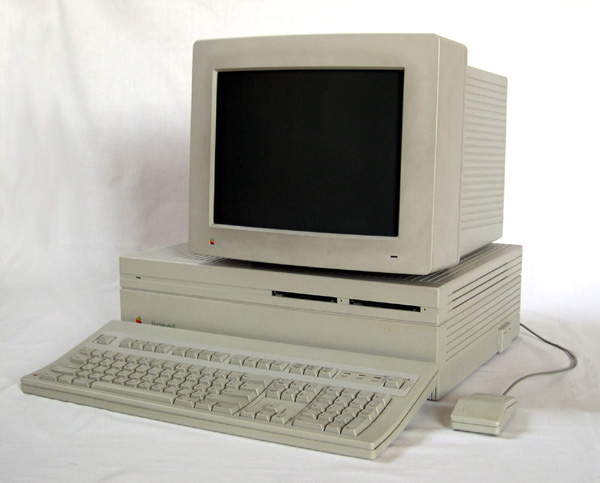
If you are reading this, chances are, you aren’t using a MACII

Will the electronic upgrade impact your business?

 If your dryer does not have a digital thermostat you have very little control.  It would be like turning the heat on in your house and never adjusting the temperature, simply opening doors and windows to achieve a comfort level.  The new digital style controls are not just flashy lights, they have function to:


a. Control the heat by turning on and off panels (More efficient)
b. Warn the user if a heater goes out or another part is not functioning correctly.
c. Allow for precise belt times in the oven
d. React to outside elements, by adding intensity or removing intensity from the dryer.

e. High End Dryers

TRX-3611

  1. Remember and store programs
  2. Graph shirt profiles
  3. Run an analysis on every job
  4. Accesses for account and maintenance from off-site 
  5. and loads more stuff.


Even Madonna understands the importance of new fabric

How many new fabrics are you encountering?
1980's
As the consumer markets push polyester, wicking and many other fabric styles, your dryer has to keep up. 

  1. Belt Speed --  Items require very distinct belt speeds, is your dryer capable of 30 seconds and 5 minutes?
  2. Do you have adequate forced air?  
    1. New inks and fabrics require air movement to achieve a proper cure without burning the substrate. 
    2. It is equivalent to convection air in a oven. 
    3. A substrate can stay in dryer longer with air movement and not such direct Infrared Hear.


The above is only intended as quick thought, as complicated as curing technology sounds it is very simple.  I am not going to argue with anyone that a Fiero will not get you from point A to point B.  Just about any commercial grade dryer with function and properly cure shirts, however, sometimes limping along with the old one costs you more time, reputation and headaches than biting the bullet and replacing it with a new one.

I just finished lacing up my roller blades, strapped on my Walkman and am hoping that dancing on the hood of Billy Idol's car won't scratch the killer Firebird paint job.